Insight
Best ERP Systems for Small Businesses in 2026: Comparison Guide

Waveon Team
3/12/2026
0 min read
That is not how many small businesses actually buy software.
For many wholesalers, distributors, and manufacturers, the immediate pain is much narrower. You may not need a full finance-HR-production rollout this quarter. You may simply need to fix B2B order handling, inventory visibility, and month-end settlement before spreadsheets create more mistakes.
In this guide, we compare several well-known ERP options for small businesses and explain when a lighter alternative may be the smarter first step.
What Is ERP for a Small Business?
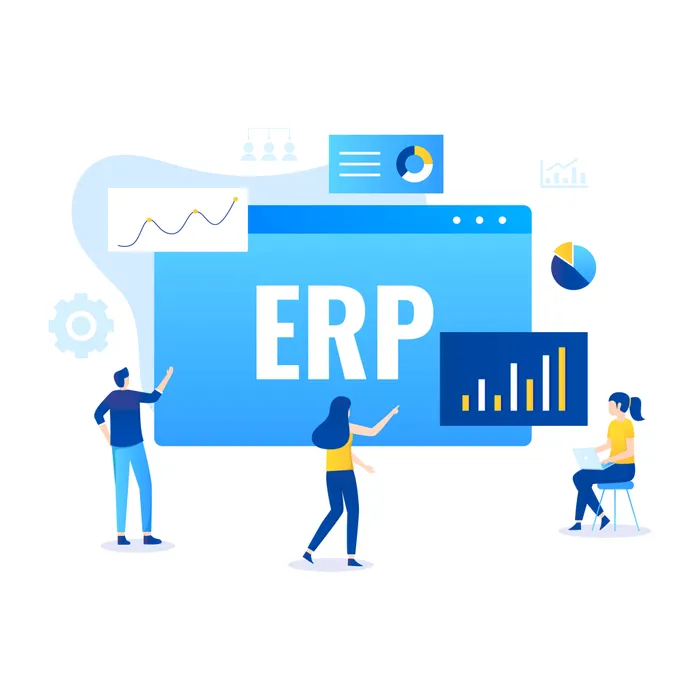
ERP stands for enterprise resource planning. In practice, it means a system that connects core business functions — finance, purchasing, sales, inventory, operations, and reporting — in one place.
For small businesses, the promise of ERP is simple:
Fewer manual handoffs between teams
Better data consistency across departments
Real-time visibility into inventory, orders, and finances
Less spreadsheet dependency as the business grows
The tradeoff is also simple: full ERP projects can become heavy, expensive, and slow if your team only needs a few urgent processes fixed.
What to Compare Before Choosing an ERP
Before looking at brand names, compare ERP systems on these five points:
1. Business scope — Does your company need finance-first ERP, or do you mainly need inventory, purchasing, and order operations?
2. Implementation effort — Some systems are fast to start but limited. Others are powerful but require a bigger rollout and partner support.
3. Inventory and order depth — If you run wholesale, distribution, or manufacturing operations, inventory, purchasing, BOM, and order flow matter more than generic "all-in-one" claims.
4. Customization flexibility — Small businesses often outgrow rigid workflows quickly. Can the system adapt without turning every change into a consulting project?
5. Total cost of ownership — License cost is only part of the story. You also need to account for setup, customization, training, and how much internal change the project will require.
Best ERP Systems for Small Businesses — Overview
System | Best For | Strengths | Tradeoffs |
|---|---|---|---|
Microsoft Dynamics 365 Business Central | SMBs already using Microsoft tools | Strong finance & operations, Microsoft 365 integration | Can become partner-heavy over time |
Oracle NetSuite | Fast-growing multi-location businesses | Cloud ERP, financial controls, inventory & order visibility | Heavier implementation, quote-based pricing |
SAP Business One | Established SMBs needing structured ERP | Mature ERP for accounting, purchasing, inventory, sales | Traditional ERP feel, often needs partner-led rollout |
Odoo | Companies wanting modular flexibility | Broad app ecosystem, open-source community edition | Quality depends on implementation discipline |
ECOUNT ERP | Cost-sensitive SMBs wanting quick adoption | Web-based, all-in-one, real-time reporting | Less enterprise depth than larger platforms |
1. Microsoft Dynamics 365 Business Central

Business Central is one of the safest choices for small and midsize businesses that already live inside the Microsoft ecosystem.
Its biggest strength is not just ERP functionality — it is how naturally it connects with tools many teams already use: Outlook, Excel, Teams, and the wider Microsoft stack. That lowers friction for adoption and makes it easier to move away from spreadsheet-based work without forcing an entirely unfamiliar environment on the team.
Pros: Strong finance and operations foundation, seamless Microsoft 365 integration, scalable ecosystem
Cons: Can become partner-heavy and more complex over time, customization costs add up
Best for: Companies that want a long-term ERP foundation for finance, sales, and operations, and expect to scale into more advanced workflows later
2. Oracle NetSuite

NetSuite is usually a better fit for companies that are growing quickly and need stronger control over financial closing, inventory, and order execution across multiple locations or entities.
Its cloud-first architecture is a major advantage for companies that do not want to maintain on-premise systems. NetSuite is especially strong when financial reporting, inventory visibility, and order lifecycle control all need to work together in one environment.
Pros: True cloud architecture, strong financial management, real-time dashboards, inventory and order visibility
Cons: Heavier implementation than lighter tools, quote-based pricing can be opaque
Best for: Fast-growing businesses with real operational complexity that need a more formal ERP structure
3. SAP Business One

SAP Business One is SAP's ERP product for small and midsize businesses. It covers the classic ERP areas many SMBs care about: accounting, financials, purchasing, inventory, sales, CRM, reporting, and analytics.
For distributors and manufacturers, that breadth can be valuable. SAP Business One makes the most sense when your business already needs more structure and process discipline than entry-level tools can provide.
Pros: Mature and well-proven ERP covering accounting, purchasing, inventory, and sales in depth
Cons: Traditional ERP feel — implementation can still feel like a real project, not just a quick software switch
Best for: Established SMBs that need structured ERP for accounting, operations, and reporting
4. Odoo

Odoo is attractive because it is modular, broad, and flexible. Instead of forcing companies into a single ERP shape from day one, Odoo lets teams combine apps across inventory, purchasing, manufacturing, accounting, CRM, ecommerce, and more.
The community edition is free, making it one of the most accessible ERP options available. That said, flexibility cuts both ways — a disciplined implementation can work very well, while a messy one can create unnecessary complexity.
Pros: Open-source (free community edition), highly modular, large app ecosystem
Cons: Enterprise features require paid plans, self-hosting needs technical expertise, quality depends on implementation discipline
Best for: Budget-conscious SMBs that want operational flexibility and are willing to invest in thoughtful process design
5. ECOUNT ERP

That makes it especially appealing for smaller distributors, importers, light manufacturers, and operations teams that need real-time visibility but do not want a massive ERP rollout.
Pros: Web-based, all-in-one, real-time reporting, unlimited users, fast adoption
Cons: Less enterprise depth — if you expect highly complex process design or extensive partner-led customization, larger ERP platforms may be a better fit
Best for: Cost-sensitive SMBs looking for a quick, practical ERP with broad core functions
When a Full ERP Is Too Much
This is the part many ERP comparison articles skip.
Sometimes the right answer is not "which full ERP should I buy?" Sometimes the right answer is "which workflow should I fix first?"
If your company mainly struggles with:
B2B customer or distributor orders
Inventory updates and stock visibility
Outbound fulfillment
Sales recording
Settlement and receivables control
...then a full ERP rollout may be heavier than what you need right now.
Full ERP vs. Operations-First System — What's the Difference?
Category | Full ERP | Operations-First System |
|---|---|---|
Scope | Accounting, HR, production, procurement, inventory — everything | Focused on orders, inventory & settlement |
Implementation | 6 months to 1+ years | 1 week to 1 month |
Customization | Difficult and expensive | Easy and fast |
Scalability | All-or-nothing from day one | Add features as needed |
Best For | Large enterprises, complex processes | SMBs, B2B order management |
For many B2B wholesalers, distributors, and manufacturers, the core bottleneck is:
customer order → inventory update → outbound → sales → settlement
If that is your bottleneck, starting with a composable operations system can reduce cost, shorten implementation time, and let your team improve operations without committing to a full ERP project immediately.
For businesses that need ordering and inventory without the overhead of a full ERP, StackCube offers a modular starting point designed for small distributors and wholesalers.
What Does a Phased Approach Look Like?
Phase 1: Start with order management + inventory
Give buyers a dedicated ordering portal (replace phone/email orders)
Real-time inventory deduction on every order
Basic inbound/outbound processing
Phase 2: Add settlement & accounts receivable
Approve and confirm sales by customer
Auto-generate settlement reports
Accounts receivable (AR) tracking
Phase 3: Connect accounting & production when ready
Accounting system integration
BOM management
Production planning
With a full ERP, you often end up paying for features you never use. A phased approach lets you focus on what matters now and expand only when the need is real.
Which ERP Is Right for Your Business?
Choose Business Central if: You already use Microsoft tools heavily and want a scalable ERP foundation for finance and operations.
Choose NetSuite if: You are growing fast and need strong cloud ERP capabilities across finance, inventory, and order management.
Choose SAP Business One if: You want a structured, mature ERP for a more traditional SMB rollout.
Choose Odoo if: You want modular flexibility and plan to shape the system around your workflows over time.
Choose ECOUNT if: You want an affordable, web-based ERP with broad core functions and faster adoption.
Choose a lighter operations-first system if: A full ERP feels too expensive or too broad, and your immediate priority is fixing order handling, inventory, and settlement workflows.
Final Takeaway
The best ERP system for a small business is not the one with the most modules. It is the one that matches your current operational bottleneck, your team's implementation capacity, and the level of complexity your business actually needs today.
If you already know you need company-wide finance, operations, and reporting in one platform, a full ERP can be the right move. But if your real pain is concentrated in order handling, inventory control, and settlement, it is worth starting with a lighter system before jumping into a full ERP rollout.
Learn more about No-code insights
Subscribe Waveon Newsletter
*Type your email address