
Lead Capture
Collect inquiries and registrations
right from your website
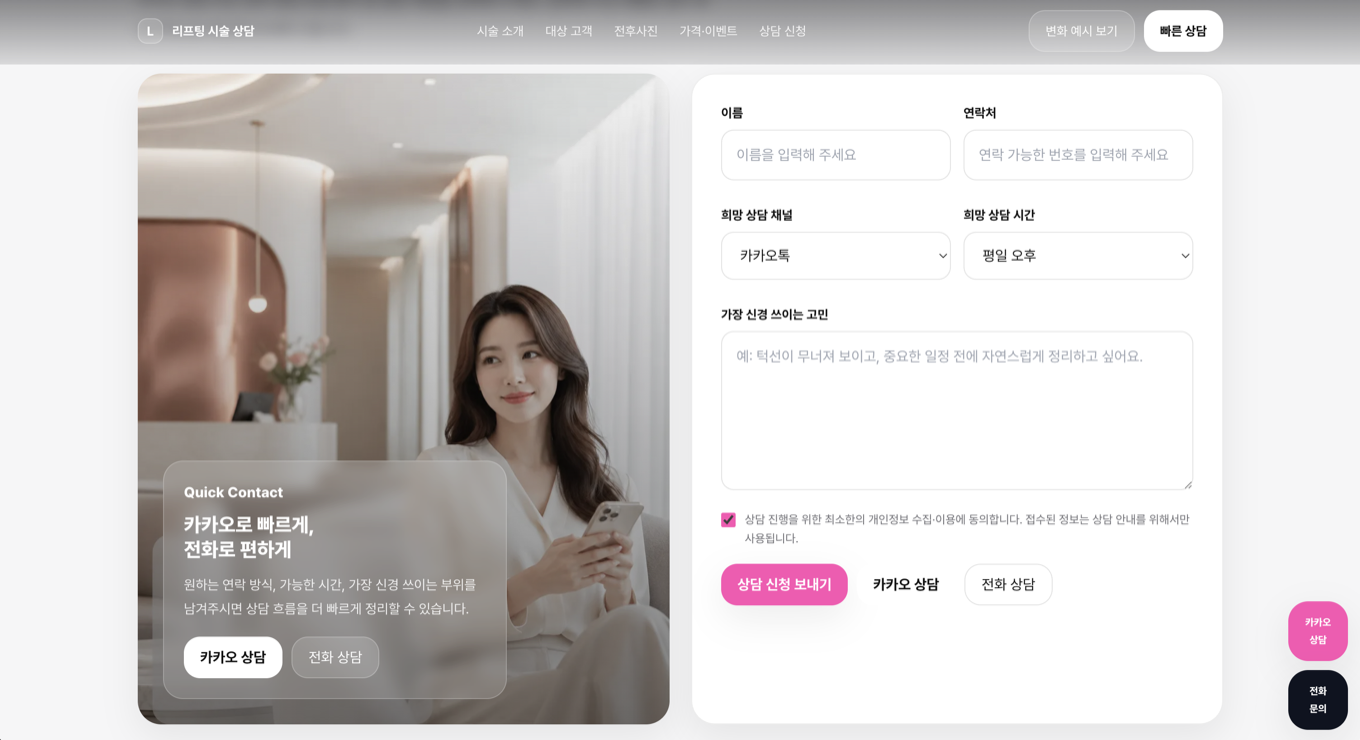
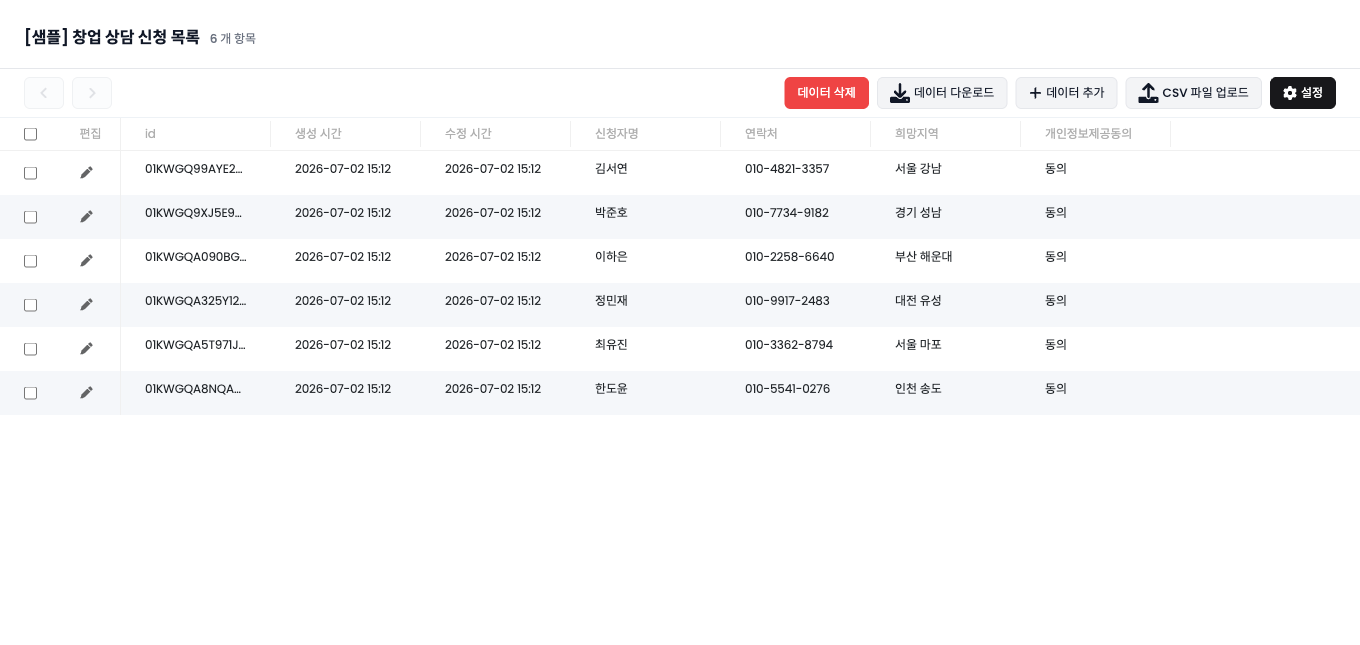
Build forms with contact fields, choices, dates, addresses, and file uploads. Store every response automatically so leads do not get lost.
- Fields
- Custom
- Storage
- Auto
- Export
- CSV
Inquiry forms · Configured
Registrations · Stored
File uploads · Optional
Feature role
Collect inquiries, registrations, and lead data
Product screen
See Forms & Lead Capture inside Waveon
Form submissions are organized by page.
Core features
Core capabilities
How it works
Workflow
The basic order for putting this feature into operation.
- 01
Add a form
Place an inquiry, booking, or registration form.
- 02
Set fields
Choose what information to collect.
- 03
Store responses
Submissions are saved automatically.
- 04
Follow up
Download or send data to other tools.
Consultation requestsQuote inquiriesPre-ordersEvent registration
Use cases
Useful in these situations
01
When inquiries need to happen on the page
Collect names, contact details, and inquiry content, then store every submission automatically.
02
When your team needs to follow up
Export responses or send them to external tools for consultation, booking, and quote workflows.
03
When each campaign needs different fields
Use checkboxes, dropdowns, dates, file uploads, and other fields based on the goal.
Related features
Features often used together
FAQ
Questions before using this feature
Can I export form responses?
Yes. Responses can be downloaded as CSV and used in integration workflows.
Are file uploads supported?
Yes. Forms can include single and multiple file upload fields.
Get Started
Prepare a form that supports follow-up
Place a form on the page, store submissions, and use the responses for follow-up work.
Start for free