Marketing
AI website builder meaning for small business marketing teams: What It Is and How to Actually Use It

Waveon Team
12/3/2025
0 min read

If you work on a small business marketing team, you have probably seen the phrase “AI website builder” everywhere and wondered what it actually means in practice. The phrase sounds promising, but it is also vague and full of hype. In this article, we will unpack the real AI website builder meaning for small business marketing teams, translating the buzzwords into concrete workflows you can use on real campaigns. Along the way, we will look at practical examples, current stats, and a simple way to evaluate whether these tools belong in your stack.
By the end, you should be able to explain what an AI website builder is in plain language, know how it differs from a typical no‑code tool, and understand exactly how to test one on a live campaign without putting your brand at risk.
If you are also comparing these tools to broader no-code platforms, it may help to look at how an AI website builder sits alongside an AI website & landing page generator or a more general no-code website builder in your stack. Thinking of them as complementary—rather than all-or-nothing replacements—will make it easier to choose the right mix for your team.
Understanding the ai website builder meaning for small business marketing teams
When marketers say “AI website builder,” they usually are not thinking about a single, strictly defined product category. Instead, they are talking about any tool that lets them go from idea to functional page using automation and AI suggestions, rather than starting from a blank canvas and manually configuring every block. In most people’s heads, the AI website builder meaning for small business marketing teams is simple: “a tool that lets us launch good-looking, on-brand pages fast, without waiting on developers.”
In other words, the “AI” label is less about a specific algorithm and more about the experience. You describe what you are trying to achieve—like promoting a webinar, collecting leads for a new service, or announcing a seasonal sale—and the builder proposes a structured page that fits that goal. From there, you and your team refine, approve, and connect it to your existing marketing stack.

What people usually mean when they say “AI website builder”
In day-to-day conversations, an AI website builder tends to mean three things rolled into one. First, it means a tool that generates a draft layout and structure for you. Instead of staring at an empty page, you answer a few questions about your business, your goal, and your audience, and the tool proposes a homepage or landing page with sections already in place.
Second, it usually implies AI-written copy or at least AI copy suggestions. Marketers expect headline ideas, section intros, and call-to-action options they can tweak, rather than having to write absolutely everything from scratch. This is not about fully automated messaging, but about getting a solid first draft that sounds like it was written by a competent marketer.
Third, people tend to expect at least some basic automation around images and style. That might mean automatic image suggestions from a stock library, color choices that loosely match your logo, or typography that feels coherent without you having to play designer. Taken together, when someone on a small marketing team asks for an AI website builder, they are really asking for a page creator that feels more like a smart assistant than a blank design tool.
How AI website builders differ from traditional site builders and templates
Traditional website builders—even no‑code ones—are usually template-first. You pick a template, then spend your time swapping placeholder content, changing layouts, and hunting through settings to adjust spacing, fonts, or button styles. They are powerful, but they also assume you already know what kind of page you want and how it should be structured.
AI website builders flip that experience. Instead of “pick a template,” the flow becomes “describe what you are trying to do.” You might answer a short questionnaire about your product, audience, and primary goal (leads, signups, bookings, sales). The tool then proposes a custom page instead of asking you to choose from a static gallery. From there, you edit and refine, but the heavy lifting of structure and initial content is already done.
This seems like a small shift, but it matters when you are under time pressure. According to the HubSpot State of Marketing report, nearly two out of three marketers say their average landing page conversion rate is under 10%. When you are trying to lift that number, the bottleneck often is not your ideas—it is getting those ideas implemented quickly, tested, and improved. A conventional builder leaves most of that on you. An AI builder tries to reduce the initial effort and nudges you toward patterns that are already known to work.
If your team is also experimenting with AI-generated marketing assets beyond the website—like ad copy or email sequences—it can be helpful to keep those workflows in the same ecosystem. For example, pairing an AI website builder with an AI landing page generator lets you reuse messaging and offers across channels with less manual duplication.
Why small business marketing teams are interested in this category
Small business marketing teams are usually stretched thin. The same person who plans campaigns might also write email copy, manage social, tweak ad audiences, and answer sales questions. Adding “web designer and front-end implementer” to that list is unrealistic. That is why the ai website builder meaning for small business marketing teams is so tied to speed and autonomy.
The broader trend supports this shift. Research on no‑code shows that small and medium-sized businesses are driving most of the adoption, accounting for a large share of no‑code usage as they try to ship projects without engineering hires (Code Conductor: No-code Statistics). At the same time, AI in marketing is moving from novelty to standard practice; one 2024 roundup found that 53% of marketers list “data analysis” as their top AI focus area (Fit Small Business: AI Marketing Statistics). That same comfort with AI for analytics naturally spills over into content and web creation.
In simple terms, small teams see AI website builders as a way to get more done with the people they already have. They want to launch more campaigns, spin up more tailored pages, and run more experiments, without waiting on a developer who is busy elsewhere or an agency with a multi-week lead time.
Common misconceptions and buzzwords to ignore
Because AI is a hot topic, there is no shortage of buzzwords in this space: “fully autonomous site creation,” “one-click funnel optimization,” or “hands-free marketing websites.” It is important to ignore that kind of language and focus on what actually works.
The first misconception is that an AI website builder will magically understand your brand, your audience, and your product better than you do. It will not. It can remix patterns it has seen before and use your inputs to steer its output, but it has no independent understanding of your market. You still have to decide what your offer is, what your differentiators are, and what objections you need to address.
The second misconception is that AI guarantees high performance. A page generated by AI is still just a hypothesis. Without real traffic, analytics, and testing, you have no idea if that version will convert better than your current one. It might give you a better starting point than a generic template, but it does not replace conversion optimization.
Finally, many tools will talk about “learning your brand” in very vague terms. In practice, most of them store some examples of your copy and visual preferences, then reuse those patterns in future generations. That can be helpful, but it is not the same thing as a brand strategist in a box. It is better to view this as a smart pattern-matching assistant than a creative director.
Key questions this article will answer
Throughout the rest of this article, we will stick to questions that matter in your day-to-day work. You will see how AI-driven features actually map to tasks like building campaign landing pages, refreshing outdated content, or adapting offers for different segments. We will also walk through how to evaluate tools against clear use cases instead of marketing claims, what limitations to keep in mind, and how to run a simple, low-risk pilot.
In other words, we will move past labels and give you a working definition: what does the AI website builder meaning for small business marketing teams look like in real workflows, budgets, and constraints?
Core features behind the ai website builder meaning for small business marketing teams
Under the hood, most AI website builders rely on a combination of generative AI (for text and sometimes images), rules-based layouts, and prebuilt blocks. Understanding those core capabilities helps you see where the tool is strong and where you still need human judgment.
AI-assisted layout and design: from blank page to draft page
One of the most tangible shifts AI brings is the move from a blank screen to a proposed structure. Instead of manually adding hero sections, features, testimonials, and FAQs, the tool suggests an order and composition based on your goal. For a lead-gen campaign, it might automatically place the form above the fold, include a benefit-focused headline, and follow with social proof and a concise explanation of your offer.
The value here is not artistic genius; it is speed and best-practice scaffolding. Many builders have encoded conversion patterns seen across thousands of pages, so they guide you toward common structures. You can then rearrange sections if your specific audience needs more education, more proof, or more urgency. When your team is under pressure to launch by the end of the week, that “instant draft” can easily save hours of wrestling with columns, padding, and responsive behavior.

AI copy suggestions for headlines, CTAs, and sections
Generative copy is often the feature marketers get most excited about and most wary of at the same time. Used well, AI copy suggestions act like having a colleague you can bounce headline ideas off, except that colleague can generate 20 options in a few seconds.
For example, you might tell the builder you are promoting a free marketing audit for local restaurants. The AI can produce different angles: one emphasizing revenue, another focusing on time saved, and another leaning on competitive fear (“Don’t let other restaurants outrank you…”). You still need to choose the angle that fits your brand and refine the language, but you no longer start from a completely blank page.
This matters because copy has a direct impact on results. Across industries, average website conversion rates often hover in the low single digits; some e‑commerce benchmarks put the average around 2.9% in recent years (Forbes: Website Statistics). On a small base like that, even a one-point increase is meaningful. AI cannot guarantee that bump, but it can help you generate and test more ideas, more quickly than before.
Automatic image selection and basic brand adaptation
Visuals often slow teams down. Someone has to sift through stock libraries, crop images, and make sure they do not clash with your palette or feel off-brand. Many AI website builders try to lighten that load. They may pull images from integrated libraries based on the text on your page, suggest icons for feature lists, or adapt background colors to match your logo.
Some tools go further, letting you upload your brand colors, logo, and a few reference designs so that new pages inherit those choices by default. That way, even if a junior marketer is building a landing page, the typography, button styles, and spacing will feel consistent with your main site.

You should see this as a way to get to a “good enough” look faster, not as a way to create award-winning design. For important pages, you might still want a designer to review and adjust. But for campaign-specific pages—like a webinar registration or seasonal promo—the chance to spin up visually coherent pages quickly is often more important than pixel-perfect novelty.
Built-in conversion elements: forms, CTAs, and simple funnels
Regardless of how clever the AI is, your site or landing page is only as valuable as the actions it drives. That is why serious AI website builders do not stop at layouts and copy; they also bake in conversion elements like forms, click-to-call buttons, lead magnets, or checkout blocks.
For small business marketing teams, the key is how easily you can hook these into your existing workflows. Can you connect a lead form to your CRM or email marketing tool without writing code? Can you tag leads by campaign so you can measure downstream performance? These questions matter more than how fancy the AI interface feels.
Some tools help you chain simple funnels together: a landing page, a thank-you page, and maybe a follow-up upsell page. When the AI can propose the whole funnel structure based on your campaign brief, you suddenly have a repeatable pattern for launches instead of reinventing the wheel each time.
Basic analytics and optimization suggestions powered by AI
The last pillar behind the AI website builder meaning for small business marketing teams is analytics. Historically, marketers had to piece together data from Google Analytics, ad platforms, and CRM systems, then interpret it manually. Now, many AI-enabled builders include built-in dashboards and even natural-language summaries.
For example, you might get a simple explanation like, “Mobile visitors from Facebook ads are bouncing at 70%, much higher than desktop visitors. Consider simplifying the hero section and moving the form higher on the page.” This is not magic insight; it is pattern recognition plus best-practice advice. But it can save time and help less technical marketers spot issues earlier.
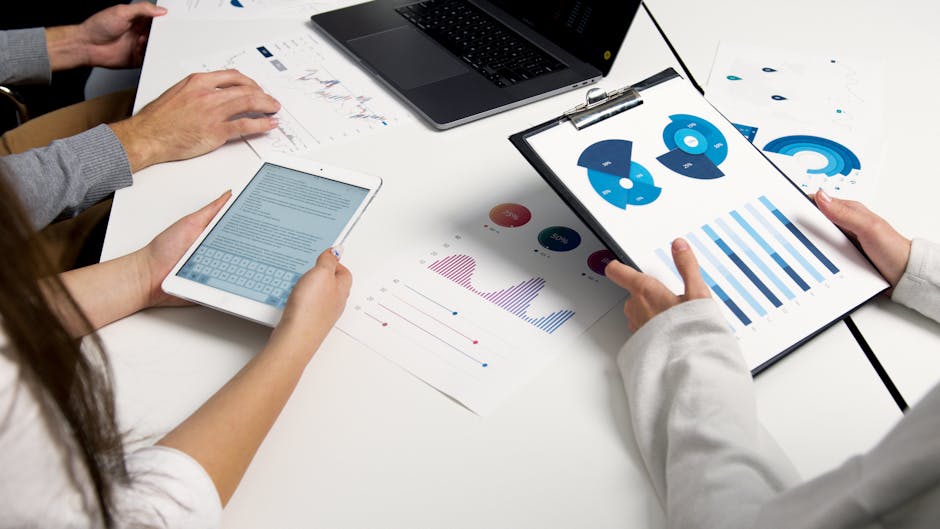
Given that more than half of marketers now cite AI-powered data analysis as a core priority (Fit Small Business: AI Marketing Statistics), the line between “website builder” and “optimization helper” is beginning to blur. As long as you treat AI suggestions as starting points rather than orders, this is a healthy shift.
Quick reference: Core capabilities most AI website builders offer
To make all of this easier to compare at a glance, it helps to summarize the main capabilities you are likely to see across modern AI website builders and how they actually help in a small-team setting.
| Core capability | What it actually does for you | Typical AI involvement | Where human input matters most |
|---|---|---|---|
| Layout and structure generation | Proposes section order (hero, features, proof, FAQs, etc.). | Uses rules and patterns from many existing pages. | Deciding what story to tell and what to emphasize. |
| Copy drafting (headlines, CTAs) | Produces first-draft headlines, subheads, and body copy. | Uses language models tuned for marketing-style text. | Choosing angles, editing for clarity and accuracy. |
| Visual and brand suggestions | Suggests images, icons, colors, and typography that feel consistent. | Matches keywords and brand inputs to style patterns. | Approving visual direction and fixing off-brand picks. |
| Conversion and funnel blocks | Adds forms, buttons, checkouts, and connects simple page flows. | Recommends placements and default settings. | Aligning with your sales process and tech stack. |
| Analytics and optimization hints | Surfaces basic issues and opportunities based on performance data. | Spots patterns and generates plain-language insights. | Setting priorities and designing proper A/B tests. |
This kind of quick reference is useful when you evaluate vendors because you can see which areas are must-haves for your current workflows and which can wait until a later phase.
How ai website builder meaning for small business marketing teams translates into daily workflows
Understanding features is helpful, but what usually convinces teams is seeing how these tools change the rhythm of their workweek. The real AI website builder meaning for small business marketing teams shows up in how quickly you can move from idea to page and how many bottlenecks you can remove.
Turning campaign briefs into draft landing pages in minutes
Imagine your team is planning a new lead magnet: an ebook on “Local SEO for Independent Gyms.” In a traditional setup, you would write a brief, send it to a designer or front-end developer, wait a few days for a mockup, give feedback, and then wait again for the page to go live. By the time you launch, your enthusiasm has cooled and your ads have been on hold for a week.
With a capable AI website builder, the flow can be much tighter. You paste in your campaign brief, answer a few structured questions, and within minutes you have a draft landing page that includes a hero section, benefit list, author bio, and a lead form connected to your email platform. You then spend your time editing and aligning the copy with your messaging instead of assembling boxes.
One small B2B software company I worked with cut their average landing-page turnaround from over a week to under a day this way. They used AI to generate first drafts for every paid campaign, then had the marketing manager spend an hour tightening copy and updating brand elements. Over a quarter, they were able to run almost twice as many targeted campaigns—simply because the page creation step stopped being a bottleneck.
Quickly cloning and adapting pages for different audiences or offers
Once you have one good page, the next question is how to adapt it. Maybe your original lead-gen page targets independent gyms, but you want a version for pilates studios and another for yoga studios. You could copy and paste, but that is tedious and error-prone, especially when you need to tweak examples, imagery, and pain points.
AI website builders shine here by letting you “clone with context.” You can duplicate the original page and then tell the AI, “Adapt this for yoga studios; focus on class bookings and community-building, not just memberships.” It can adjust headlines, testimonials (if you feed it relevant ones), and even propose different imagery that better fits that niche.
This is where the tool becomes a force multiplier for segmentation. Instead of one generic page that tries to cover everyone, you can maintain several focused versions that speak directly to each segment. Over time, you can compare performance—maybe the yoga variant converts 20% better than the generic one, while the pilates version underperforms and needs another round of refinement. Because the AI helped you generate all three, you only invested marginal extra time per segment.
Running small copy and layout experiments without developer help
Testing is where AI website builders can have a subtle but powerful impact. Historically, even small layout changes might have required a developer to adjust templates or CSS. That friction meant many teams only ran a few big tests a year, despite knowing they should iterate more frequently.
In an AI-enabled builder, non-technical marketers can often spin up variations directly. You could duplicate the page, ask the AI to generate three alternative headlines that emphasize different benefits, and reorder sections based on a hypothesis about information hierarchy. Some tools integrate simple A/B testing, while others require you to manage traffic splits through your ad platform or another tool—but in both cases, you are no longer blocked by technical work.
One local services company I know, a home cleaning franchise, used an AI builder to test variations of their booking-page headline and offer layout. The marketing coordinator generated a version that emphasized “trusted, vetted cleaners” and another that emphasized “same-day availability.” After a few weeks of traffic from Google Ads, they found that the trust-focused version boosted conversions by about 12%. That is not earth-shattering, but on a steady stream of leads, it added up to hundreds of extra bookings per year without any extra ad spend.
Keeping pages consistent with brand voice and visual style over time
Brand consistency used to depend heavily on gatekeepers: a designer enforcing styles, a copy lead reviewing everything. On a small team with high turnover or part-time freelancers, consistency tends to erode. Over time, your microsites, campaign pages, and main site start to feel like they belong to different companies.
AI website builders with “brand kits” and trained writing styles offer a partial solution. You can define your preferred tone of voice (for example, “straightforward, friendly, no buzzwords”), feed the AI a few strong examples of on-brand copy, and lock in your colors and typography. When team members generate new pages, the output will still need review, but it is more likely to be in the right ballpark.
This is particularly useful when you have many low-stakes pages, such as event signups, local franchise promotions, or seasonal campaigns. You probably will not ask your creative lead to personally approve each one, but you also do not want them drifting into off-brand territory. AI-guided defaults create a safety net: rough edges may remain, but the overall look and feel stays within the lanes you set.
Reducing handoffs and bottlenecks between marketing and technical roles
Perhaps the most important workflow impact is cultural rather than technical. When marketers can create and publish pages themselves, without filing tickets or waiting in backlogs, the whole team’s cadence changes. Ideas move faster, experiments happen more often, and developers can focus on more complex problems than swapping button colors.
This does not mean developers or designers are no longer needed. It means their time is spent on higher-leverage work: building reusable components, managing performance, integrating complex systems, or designing core brand experiences. Meanwhile, everyday campaigns live in a more flexible space where marketers can act on their own.
In small businesses where one or two people wear multiple hats, cutting out even one or two back-and-forth cycles per campaign can be the difference between launching something this month or pushing it to the next quarter.
Evaluating tools: making the ai website builder meaning for small business marketing teams actionable
With all of this in mind, how do you choose an AI website builder that actually fits your reality instead of just sounding impressive? You can think of this section as turning the abstract AI website builder meaning for small business marketing teams into a concrete checklist.

Clarifying your main use cases: launches, lead gen, content, or all of the above
Before you look at product pages or watch demos, it helps to be brutally clear on what you expect the tool to do for you in the next six to twelve months. Are you mainly focused on campaign-specific landing pages for ads? Do you need a tool that can handle your entire main website as well? Is content marketing (blogs, resources) part of your plan?
For example, if your primary pain is “we can’t build and test landing pages for paid campaigns fast enough,” you might prioritize tools with strong funnel templates, easy CRM integrations, and simple A/B testing. If, instead, you are rebuilding your whole marketing site, you will need a stronger focus on navigation, SEO controls, and content management.
Being honest about your main jobs-to-be-done keeps you from being distracted by secondary features. You can always add tools later; what matters first is solving the bottleneck that is most obviously costing you leads or revenue today.
Usability checklist for non-technical marketers
Once your use cases are clear, usability becomes the real deciding factor. If non-technical marketers cannot comfortably build and edit pages in the tool within a week or two, the AI benefits will not matter. You will fall back to old patterns where a couple of “power users” do everything, and everyone else waits.
When you trial a tool, watch how your least technical team member reacts. Can they understand how to start a page, adjust layouts, and update content without a live training? Do the AI features feel like a natural part of the workflow, or like separate gadgets bolted on top? And when something goes wrong—like a button not showing on mobile—can they find help quickly?
It can be tempting to assume that any slick interface is easy to use, but marketing tools often hide complexity under layers of menus. The best AI website builders for small business teams do the opposite: they surface simple flows like “create a page from this brief” and keep advanced options out of the way until you need them.
Content, SEO, and analytics capabilities to look for
Because your website and landing pages do not live in isolation, you should look carefully at how AI builders handle content, SEO, and analytics basics. Even if you are not an SEO specialist, you will want control over titles, meta descriptions, headings, alt text, and URL structure. Some tools can propose these elements automatically based on your page copy, but you should be able to edit them easily.
On the content side, check whether the AI can help you generate structured sections that support both readers and search engines: FAQs, feature lists, and comparison blocks. While you should not rely on AI alone for keyword strategy, it can give you a starting point for on-page optimization, saving time for your SEO consultant or specialist to refine things.
For analytics, look beyond vanity metrics like page views. Does the builder let you define and track clear conversions (form submissions, button clicks, bookings)? Can you integrate popular tools like Google Analytics, Google Tag Manager, or your ad pixels without custom code? A tool that treats analytics as an afterthought will cost you more time later when you try to figure out what is actually working.
Integration and export considerations (CRM, email, tracking, backups)
Integration is where many AI website builders quietly make or break themselves. A gorgeous, AI-generated landing page is not helpful if leads sit in a siloed database you never check. For small business marketing teams, the top priorities are usually CRM and email marketing connections, followed by ad platform tracking and calendar or booking tools if you run appointments.
Check whether the builder supports your existing stack natively. If you use HubSpot, Mailchimp, or a specific CRM, does the builder offer one-click or simple API connections? If not, can you at least connect via tools like Zapier or Make without writing scripts? Also, think about data ownership and exit options. Can you export your content or HTML if you ever switch platforms? Are backups automatic, or do you have to remember to save versions manually?
These questions might feel unglamorous compared to AI demos, but they are what protect you from being locked into a tool that becomes a headache later or losing work when something goes wrong.
How to run a low-risk trial or pilot project before committing
Finally, before you commit your whole site or funnel to a new AI website builder, it is wise to run a focused pilot. Pick one campaign—a webinar, a mini product launch, or a local event—that has a clear goal and a defined timeframe. Use the new tool to build the landing page or funnel for that campaign, and compare the experience and results to your usual process.
A simple way to structure that pilot is to treat it like a short checklist you follow from idea to debrief. This gives you a repeatable pattern you can reuse for future tools or campaigns.
- Define a single, realistic campaign you were going to run anyway, with a clear primary metric such as webinar signups, demo requests, or free-trial starts.
- Write a one-page brief explaining the offer, audience, and traffic sources, and use that as the only input you give the AI builder at the start.
- Generate the initial page or funnel with the AI tool, then time-box your manual editing and review so you can measure how long “idea to launch” really takes.
- Connect your CRM, email platform, and tracking pixels, and verify that test submissions or purchases land in the right place before going live.
- Run the campaign for a defined period, compare key metrics against a similar past campaign or a control page, and document what felt faster, what broke, and what you would change next time.
If the pilot goes well, you have both qualitative and quantitative justification to expand your use of the tool. If it reveals friction points, you can correct course early—whether that means switching tools, investing in training, or adjusting your expectations about where AI helps and where it does not.
Limits, risks, and best practices around ai website builder meaning for small business marketing teams
No matter how impressive the technology is, you will get better results if you approach it with realistic expectations. The AI website builder meaning for small business marketing teams should never be “a way to outsource thinking,” but rather “a way to reduce drudgery and multiply good decisions.”
What AI website builders still can’t do well without human input
At their core, AI systems are pattern matchers. They are excellent at remixing existing patterns of layout and language; they are much weaker at understanding your unique business context, your nuanced brand positioning, or your long-term strategy.
For example, an AI builder can suggest a “limited-time offer” banner, but it cannot know whether constant discounts will harm your brand perception over the next year. It can generate copy that sounds confident, but it cannot verify the accuracy of your claims or ensure they comply with regulations in your industry. It might suggest a layout that has worked for software-as-a-service products, but that same layout could confuse visitors looking for a local service with a physical location.
This is why human input remains non-negotiable. You still need someone who understands your customer’s journey, your sales process, and your risk environment to review pages before they go live. The more regulated your space, the more careful you need to be.
Avoiding generic, off-brand pages and copy
A common early disappointment with AI website builders is that the first few outputs feel generic. You might see phrases like “streamline your workflow” or “unlock your potential” repeated across many sections. That is not a flaw in your brand; it is a sign that you have not yet given the AI strong enough examples and constraints.
One simple best practice is to create a “brand starter kit” inside your tool. That means adding a few of your best-performing pages or emails, specifying banned phrases, and writing short voice guidelines. Then, when you generate content, you can tell the AI to mimic those examples or stay within those boundaries. Over time, as you see which AI-generated variants perform well, you can feed those back into your examples, improving future generations.
It also helps to have a human editing pass focused on de-genericizing. Ask whoever reviews the copy to specifically look for clichés and replace them with concrete, specific language drawn from customer interviews, reviews, or sales calls. AI is excellent at filling in structure; humans are better at injecting the details that make your offer feel real.
Compliance, privacy, and basic data considerations
Even if you are not in a heavily regulated industry, you still have to think about privacy and compliance. When you use an AI website builder, you are sending text to a third-party system and potentially connecting user data through forms.
At a minimum, you should review the tool’s data handling and privacy policies. Does it use your content to train its own models? Where are its servers located, and does that matter for your jurisdiction? Can you configure cookie banners and consent flows that match your legal requirements? These are the kinds of questions regulators increasingly expect you to have answers to, especially in regions covered by laws like the GDPR or CCPA (European Commission: Data protection rules).
If you operate in areas with stricter rules (such as handling health data, financial information, or serving EU residents), involve someone with compliance knowledge early. They can help you set constraints on what kind of data passes through the builder and ensure that your forms, tracking scripts, and integrations do not create problems later.
When to involve designers, developers, or agencies anyway
Despite the promise of “no code” and “AI-powered creation,” there are still clear moments when you should bring in specialists. For your main brand site—the one that shapes first impressions and may need complex navigation, custom animations, or deep integrations—a professional designer and developer can create a stronger foundation than a generic AI layout.
You might also want expert help when you are preparing a high-stakes campaign with a large budget. In those cases, the cost of a suboptimal page is much higher, so it can be worth investing in custom design, thorough copywriting, and advanced A/B testing setups. AI can still play a role as an ideation and prototyping tool, but it should not be the sole creator.
Agencies can also help you set up systems around your AI builder: designing reusable components, defining brand guidelines, or creating custom templates that your internal team can then remix. That way, you get the best of both worlds: a solid, professional base and the flexibility to move fast afterward.
Simple habits to keep improving pages after launch
Over time, the value of any website builder—AI or otherwise—comes from how you use it, not just how you set it up. Instead of treating pages as “set and forget,” you can build simple habits around iteration.
One effective pattern is to schedule a monthly or quarterly review of your key pages. Look at conversion rates, traffic sources, and bounce rates. Use the AI builder to generate a few new headline or hero variants, test them, and keep the winners. Over a year, these small changes compound into noticeable improvements.
You can also encourage your team to capture ideas from customer-facing conversations. When sales or support hear a new objection or a phrasing that resonates with customers, feed that into your page copy. The AI can help you weave those insights into existing sections in a consistent way, but you have to bring the real-world raw material.
If you want to go deeper on improving conversions after launch, it can be worth pairing your AI builder with a lightweight experimentation or CRO workflow. Even simple, structured A/B tests can reveal patterns you can then bake into every new page you generate. Platforms like Optimizely or even Google Optimize alternatives give you a sense of what mature experimentation looks like, even if you start with a simpler approach.
Conclusion: Putting the ai website builder meaning for small business marketing teams into practice
When you strip away the marketing language, the AI website builder meaning for small business marketing teams comes down to something very practical: a faster, more flexible way to get conversion-ready pages live without leaning on developers for every change. AI is there to remove blank screens, suggest proven structures, draft reasonable copy, and keep your pages roughly on brand while you focus on the parts no tool can replace—your offer, your positioning, and your understanding of your customers.
Across the article, a few themes keep repeating. AI website builders are most valuable when you treat them as assistants, not autopilots. They are excellent at giving you a working draft of layouts and copy, helping you clone and adapt pages for different segments, and nudging you toward best practices in conversion and analytics. They are not good at setting your strategy, defining your brand voice from scratch, or handling compliance without your oversight.
The real payoff shows up in your day-to-day workflows. Teams that adopt AI builders effectively are the ones who use them to shorten the distance between a campaign idea and a published page, to run more experiments with less friction, and to keep a growing library of landing pages reasonably consistent in look and tone—even when multiple people contribute.
Tool choice matters, but it matters less than clarity about your use cases. A small team focused on paid lead generation will prioritize fast funnel creation and CRM integrations, while a content-heavy business will care more about SEO controls and content management. In both cases, integrations, data ownership, and ease of use for non-technical marketers make or break the rollout more than any individual AI feature.
To turn all of this into action instead of another concept on your reading list, start small and concrete. Pick one upcoming campaign that already has a clear offer and audience. Write a one-page brief you would be happy to send to a designer or agency. Instead of sending it out, drop that same brief into an AI website builder or an AI landing page generator and let it produce the first version. Then spend an hour editing the page as you normally would—tightening the copy, swapping in real testimonials, and aligning visuals with your brand.
From there, measure the experience. Compare how long this process took against your usual way of building pages, and track basic outcomes like conversion rate and lead quality. You do not need a perfect A/B test to learn something useful. Even a rough comparison to a similar past campaign will tell you whether AI is genuinely removing friction or just adding another interface to manage.
As you get more comfortable, you can gradually raise the bar. You might use AI to clone that first page for a second audience segment or to test a different hero angle without touching any code. You might formalize a simple “brand starter kit” inside your tool so new pages start closer to your voice. You might set a recurring slot on your calendar to review performance and ask the AI for suggestions on what to test next.
If you are still choosing platforms, look for tools that fit into the rest of your no-code stack—whether that is an AI website builder, a dedicated landing page generator, or a broader platform like Waveon that combines both. The goal is not to find the flashiest demo; it is to find something your actual team will use every week without dreading it.
Most importantly, keep humans firmly in charge. Let AI handle the repetitive scaffolding—the layouts, the first-draft copy, the obvious optimization ideas—so your marketers can spend their limited time on strategy, creative thinking, and conversations with customers. With that mindset, AI website builders stop being a shiny trend and become a quiet, reliable part of how you plan, launch, and learn from every campaign.
Learn more about No-code insights
Subscribe Waveon Newsletter
*Type your email address