Marketing
Marketing Automation for Small Businesses - Tools, Strategies, and Challenges

Sanchita
1/19/2024
0 min read
Just a few years ago, small businesses had no access to most digital tools. The major reason was technology was not much advanced, and hence the cost was high. But things have changed. Today, there are several budget tools at your disposal to automate business processes, especially marketing ones.
And that's good news for small businesses as you can start automating all those emails, data logging, reporting, etc.
Today, you literally have the power to send thousands of emails with one single click. How powerful is that?
But sadly, the majority of small businesses are not using automation correctly. In some cases, there's no automation at all. This blog will show you how to set up proper marketing automation for your small business. Ready? Let's begin.
What does Marketing Automation mean for Small Businesses?
Marketing automation for small businesses is the process of automating routine business processes. An example of this can be automated email triggers where a customer buys something from your business.
How Does Marketing Automation Help Your Small Business?
1. Better customer insights
Marketing automation helps you understand your customers better. By constantly capturing important information like customer age, likes, dislikes, order history, and browsing history, you can create a personalized experience for your customer.
The best example is birthday emails. As per research, emails, when sent on birthdays, register a 481% higher transaction rate, 342% greater revenue, and 179% unique click rates against regular promotional emails.
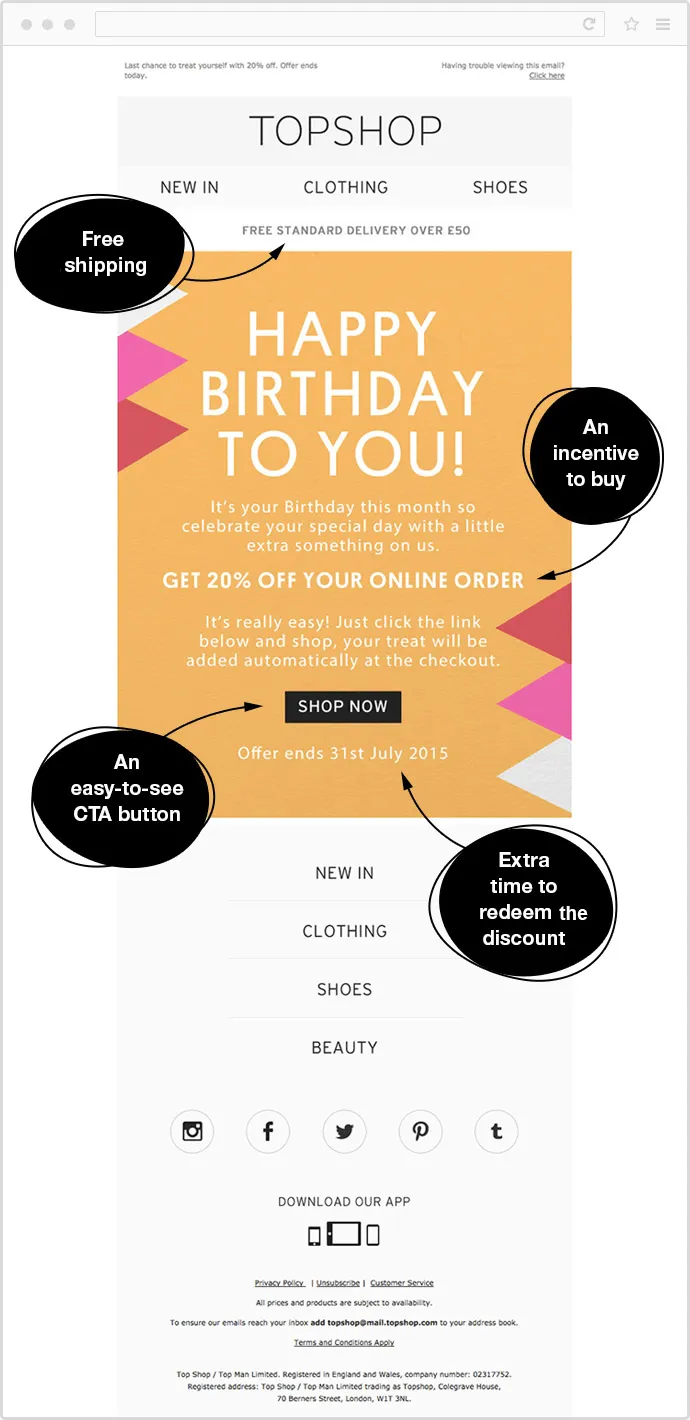
Source- Omnisend
2. Efficiency and Time-Saving
As a small business owner, you might often find yourself occupied with tasks and no time to focus well on marketing. Marketing automation tools help here by automating repetitive tasks so that you can focus on what truly needs your attention.
Marketing automation tools can help with sending emails, social media posting, customer segmentation, and so on. This saves time and allows the small business team to focus on more strategic and creative tasks.
3. Consistency in Marketing
When marketing experts talked about consistency in marketing, they were not lying. Consistency is important. You cannot post regularly for five days and then nothing for two months. This will create a gap in your brand identity.
Another challenge is keeping marketing messages consistent across channels and platforms. But the good news is that marketing automation tools do an excellent job of helping you achieve consistency. This consistency helps in building a robust and cohesive brand image.
4. Data-Driven Decision-Making
Ever wondered how some businesses manage to market well? The secret lies in their data. Without data, marketing cannot be customized. The good news is that even small businesses can access this data and reporting tools through marketing automation.
All this data you are collecting in your CRM can help you provide insights into the effectiveness of marketing campaigns. Thus enabling you to make informed decisions and continuously improve your strategies.
Essential Marketing Process You Must Automate
Process #1: Dynamic content
Dynamic content is a type of content that changes based on the user's behavior. Since you cannot be present every time to customize content based on behavior, it's best to automate dynamic content using marketing automation tools. This is especially true if you run an e-commerce store where users demand personalized recommendations.
Process #2: Email marketing
The second business process to automate is email marketing. Since email automation platforms have evolved so much, they have become cheaper over the years.
You can easily get started with email automation that involves sending emails to your audience based on triggers or scheduled times. This can include welcome emails, follow-up emails after a purchase, or regular newsletters. Tools for email automation also provide analytics, helping to refine email campaigns for better engagement.
Process #3: Social media scheduling
Automating social media involves scheduling posts in advance across various platforms. Tools can also provide analytics on post-performance, suggesting the best times to post and what content resonates with your audience. Some advanced tools offer features like responding to comments or messages, which can partly automate the interaction with the audience.
Process #4: Onsite marketing automation
This involves using tools to automate interactions with visitors on your website. Examples include chatbots for customer service, pop-up forms for lead generation, and automated personalization of the website experience based on visitor behavior.
Top Marketing Automation Tools for Small Businesses
1. Active Campaign
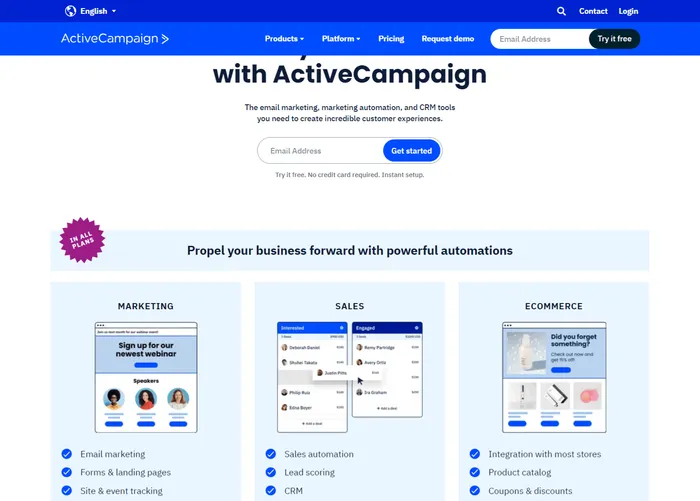
ActiveCampaign is a user-friendly email marketing automation tool for small businesses. It helps enhance marketing efforts through automation and targeted communication.
Key Features Include:
-
You can create and send personalized email campaigns based on customer behavior and preferences.
-
Design automation workflows to streamline marketing processes, from lead nurturing to customer onboarding.
-
Segment your audience based on various criteria, allowing you to tailor your messages and offers for better engagement.
2. HubSpot
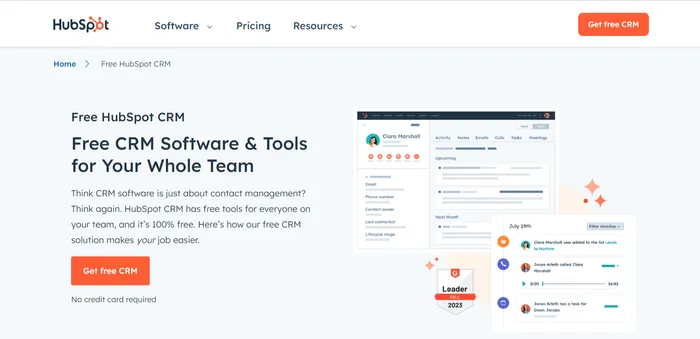
HubSpot's user-friendly interface, integration capabilities, and emphasis on an all-in-one approach make it a popular choice for small businesses.
Key Features of HubSpot include:
-
HubSpot provides a complete suite of marketing, sales, and support tools for small businesses. This means most of your marketing automation can be handled single-handedly by HubSpot.
-
HubSpot also has an email automation tool to create and schedule personalized email campaigns.
-
Last but not least, HubSpot CRM easily integrates with other marketing tools. Thus, you can manage leads, track interactions, and nurture relationships in one place.
-
Design and implement complex automation workflows to streamline marketing processes, from lead generation to conversion.
3. Buffer
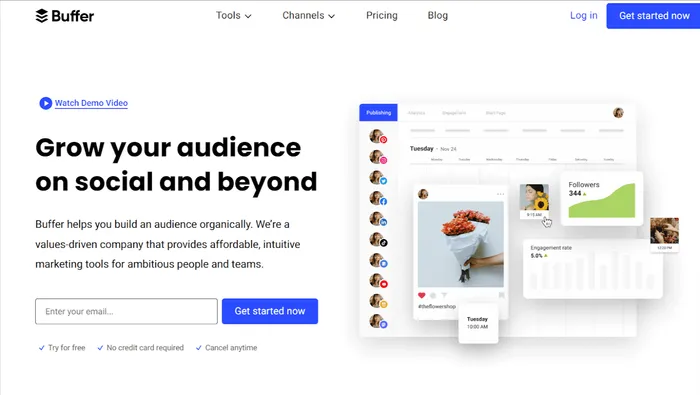
Buffer is a social media management platform that helps businesses streamline their social media presence.
Key features of Buffer are:
-
You can schedule posts across multiple social media platforms in advance through a single interface.
-
There's also a feature to visualize and plan your social media content with a calendar view.
-
Track the performance of your social media posts, engagement metrics, and audience insights. Data-driven insights to refine and improve your social media strategy.
-
Collaborate with team members, assign tasks, and maintain a unified approach to social media management. Facilitates teamwork and ensures a consistent brand voice across social platforms.
4.Intercom
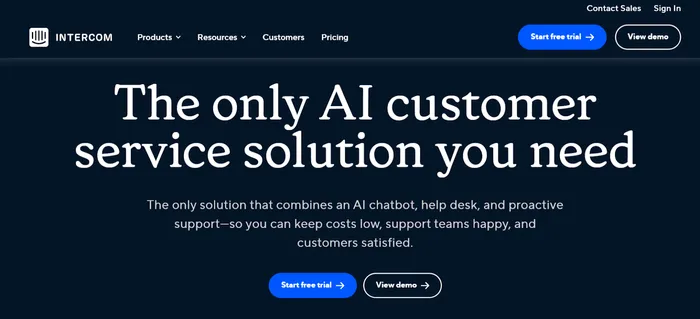
Intercom is one of the most small business-friendly messaging platforms. It enables businesses to communicate with their customers in a personalized and efficient manner.
Key features of Intercom include:
-
Real-time chat with site visitors to provide support and engagement. This enhances customer experience as their queries are answered on time.
-
You can also set up automated messages based on user behavior or events to guide users through the customer journey.
5. Keap (Formerly Infusionsoft)
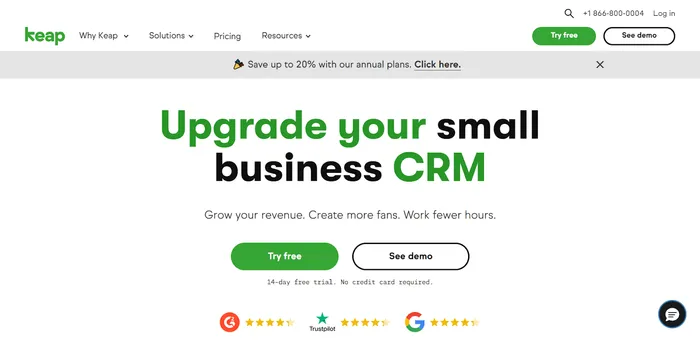
Keap has been a go-to tool for small businesses over the past few years. It's a reliable tool that lets small businesses manage marketing, sales processes and data collection from one single interface. Instead of using different CRM, Marketing tools and sale tools, you can use Keap as your all-in-one marketing automation tool.
Key Features of Keap include:
-
CRM (Customer Relationship Management): Keap includes a CRM system to help you manage customer interactions, track leads, and organize customer information. The CRM contains features like contact management, lead segmentation, and a centralized database for customer data.
-
Marketing Automation: The tools come with powerful marketing automation features including the ability to create personalized and targeted email sequences, set up automated follow-ups, and segment contacts based on behavior.
-
Sales Automation: Apart from marketing automation, Keap also includes sales automation tools to help you streamline the sales process. You can easily automate tasks like lead scoring, setting up sales pipelines, and creating automated responses to specific customer behaviors.
How to Start Marketing Automation for Small Business?
So, now you know the benefits of marketing automation, let's learn how to set up your automation system. Here, we have listed a step-by-step guide to start with marketing automation.
Step 1: Define your marketing goals
The first step towards setting up your automation system is defining your goals. For example, you might want to generate quality leads, brand awareness, etc. It's important to understand to not skip this step, as the automation you need will depend entirely on your marketing goals.
Step 2: Choose a Marketing Automation Tool
Now, in the second step, it's time to choose the automation tools that suit your needs. Consider factors like ease of use, integrations when choosing the right tool. For example, suppose you require a CRM; then Hubspot has a good plan for small businesses.
Step 3: Build your list
Now, it's time to put marketing automation tools to work and build the contact list. Import your data and contacts into marketing automation tools.
Step 4: Setup of tracking and analytics
Tracking is essential to automated data collection. Implement tracking mechanisms on your site to monitor user behavior, interaction, and email engagement.
Step 5: Create Segmentation Rules
Define segmentation criteria based on customer attributes, behavior, or demographics. This will enable you to send targeted and relevant content to different audience segments.
Step 6: Design Automated Workflows
Develop automation workflows for critical processes such as lead nurturing, onboarding, and re-engagement. Map out the customer journey and create triggers for automated actions.
Step 7: Implement Email Marketing Automation
Now, it's time to set up automated email campaigns based on triggers like user actions, birthdays, or specific milestones. You can then personalize your emails to enhance engagement.
Step 8: Test and Optimize
Conduct A/B testing on various automation elements, such as email subject lines or workflow steps. Use the results to optimize your campaigns for better performance.
Step 9: Train Your Team
Congratulations on reaching this stage. But the journey doesn't end with setting up automation. Your team must be trained on using the marketing automation platform effectively. This includes understanding how to interpret analytics and make data-driven decisions.
Step 10: Monitor and Adjust
Last but not least, the success of marketing automation depends entirely on your marketing strategy and execution. This means, leaving your success on an automation platform is a big mistake.
You must regularly monitor the performance of your automation campaigns. Analyze data and make adjustments to improve efficiency and effectiveness. Stay agile in response to changing market dynamics.
Conclusion
A few years ago, providing full-fledged marketing automation for small businesses was a distant reality. But not anymore. As technology advances, marketing automation tools have become cheap, so even small businesses can afford them today.
You can score, sort, and nurture leads throughout the cycle. Since many small businesses work on limited human resources, it can take off all those tedious, repetitive tasks like information logging from your plate so you can focus on making it big.
Learn more about No-code insights
Subscribe Waveon Newsletter
*Type your email address