Templates
B2B Meeting Management Software: Streamline Your Trade Show Meetings with ExpoMeet

Waveon Team
2/16/2026
0 min read
If you've ever prepared for a trade show, you know the struggle. Dozens of emails back and forth to coordinate buyer meetings, only to arrive on-site and find two teams booked for the same time slot or key buyers missing from the list.
Manual scheduling is costing you more than time—it's affecting your trade show ROI. ExpoMeet is B2B meeting management software that transforms how trade shows handle meeting coordination.
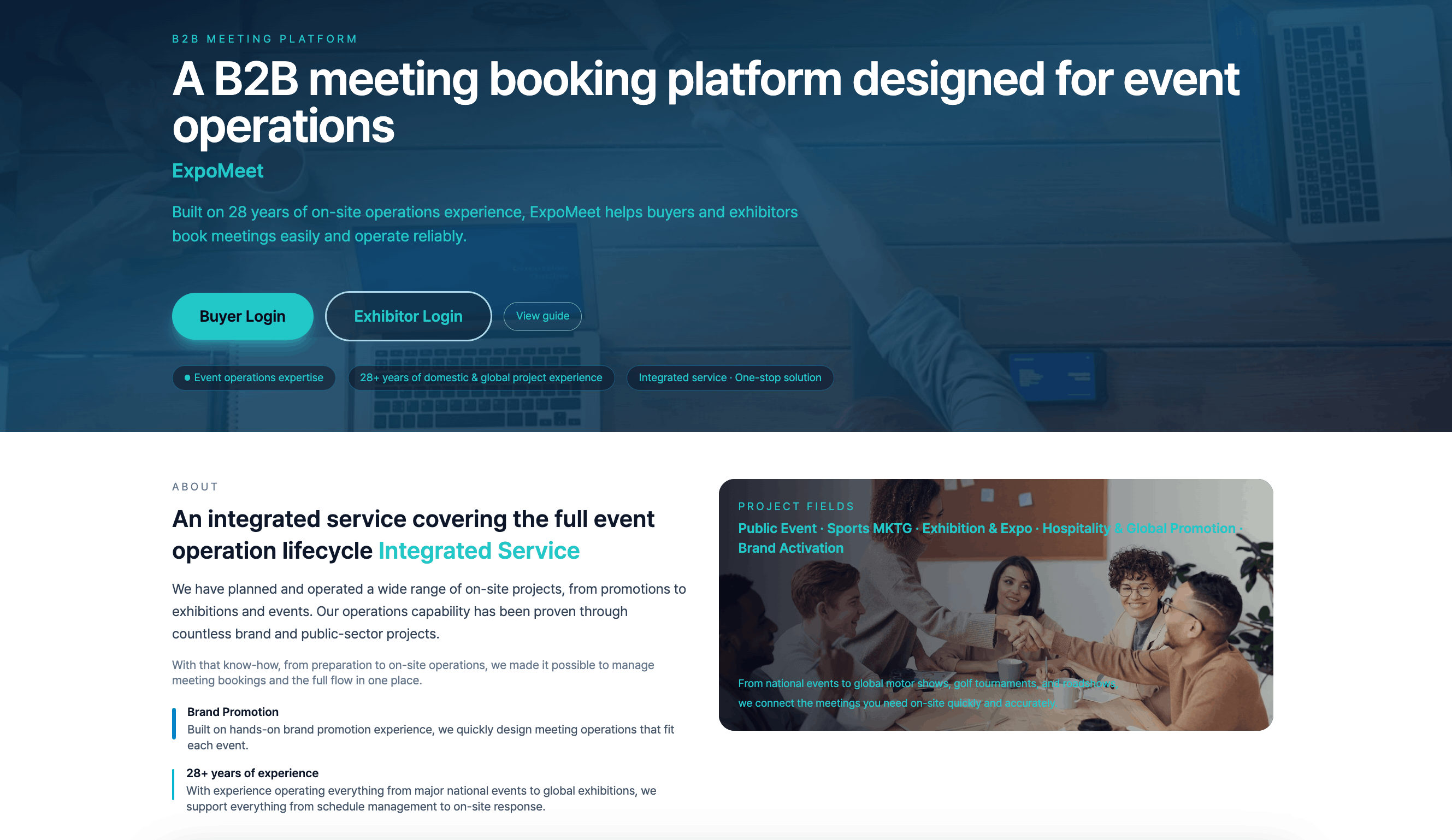
ExpoMeet: B2B Meeting Management Software That Actually Works

The platform handles booth-specific operating hours, multilingual interfaces (English, Korean, Japanese), and automatic time zone calculations. Buyers browse exhibitor profiles and book meetings instantly. Exhibitors manage schedules at a glance. Organizers monitor real-time analytics.
Core Capabilities of B2B Meeting Management Software
1. Real-Time Booking and Automated Workflows
Buyers see live availability on exhibitor pages. One click sends a meeting request. The system handles the rest:
Instant email notifications for booking requests, confirmations, changes, and cancellations
Automatic reminders 24 hours and 1 hour before meetings to prevent no-shows
Calendar sync with Google Calendar and Outlook
2. Multilingual & Time Zone Management
International buyers interact in their preferred language—the UI switches automatically. Time zone calculations happen behind the scenes. A buyer in Tokyo sees meeting times in JST while an exhibitor in New York manages the same meeting in EST. No manual conversion, no errors.
3. Role-Based Interfaces
Buyers use keyword search and category filters to discover relevant exhibitors, review detailed company profiles, and request meetings. Once confirmed, their dashboard shows the complete meeting schedule with company details and booth locations.
Exhibitors build profiles with logos, product descriptions, and booth information. They define available meeting slots (typically 30-60 minutes each) while blocking out lunch breaks or internal sessions. When requests arrive, they accept or propose alternative times. Confirmed meetings can be annotated with preparation notes.

Each user type gets exactly what they need:
User Type | What They Do | Key Features |
|---|---|---|
Buyers | Find and book meetings | Search exhibitors, view profiles, request meetings, manage schedule |
Exhibitors | Accept bookings, manage availability | Set operating hours, approve/decline requests, add meeting notes |
Administrators | Oversee entire event | Configure policies, approve exhibitors, monitor analytics, generate reports |

How to Deploy B2B Meeting Management Software on Waveon
ExpoMeet is built on Waveon, a no-code platform that lets you launch a fully functional meeting management system without engineering resources.
Template-Based Setup


Three-Phase Implementation
Planning (1-2 weeks): Define requirements—number of exhibitors, expected buyers, meeting duration—and consult with the Waveon team on optimal configuration.
Building (2-3 weeks): Register event details, create exhibitor accounts, customize email templates, conduct system testing and simulation.
Operation: Open registration several weeks before the event, distribute user guides, monitor bookings in real-time, provide on-site support for day-of adjustments, and generate post-event analytics reports.
B2B Meeting Management Software Implementation Results
Organizations using ExpoMeet report significant operational improvements:
50%+ reduction in scheduling coordination time as email/phone loops disappear
80% decrease in no-shows thanks to automated reminders
Higher booking volume as the friction of manual coordination is removed
Improved ROI from increased meeting quality and staff time redirected to strategic activities
Enterprise-Grade Security
All communications use HTTPS/TLS encryption. Authentication is JWT-based with role-specific access controls. User data is encrypted at rest, and access logs are automatically maintained for audit purposes. The system is designed to comply with GDPR and other global data protection regulations.
Best Fit For B2B Meeting Management Software
ExpoMeet excels in environments where meeting coordination is mission-critical:
B2B-focused trade shows where pre-scheduled meetings drive outcomes
Global events with international buyers requiring multilingual and time zone support
Organizers seeking quantitative insights into exhibitor popularity, buyer behavior, and booking patterns
Stop managing trade show meetings with Excel and email. ExpoMeet provides the infrastructure buyers and exhibitors expect in 2026. Deploy on Waveon, customize to your brand, and focus on what matters—generating business outcomes instead of coordinating calendars.
Learn more about No-code insights
Subscribe Waveon Newsletter
*Type your email address